


Server rack sizes are usually described in rack units, or U. One rack unit provides 1.75 inches, or 44.45 mm, of vertical mounting space, while most rack-mounted IT equipment uses the standard 19-inch mounting format.
Those measurements are useful, but they do not tell you whether a cabinet is actually suitable for the hardware. Rack depth, overall width, equipment weight, power demand, cooling, cabling and maintenance access all matter too.
A server can fit within the available U space and still be wrong for the rack once its rails, power connections, cable routes or thermal requirements are taken into account.
Start With Four Measurements, Not Just U Height
When people talk about rack size, they often mean height. In practice, four measurements matter:
Rack units: the vertical mounting capacity
Mounting width: the standard equipment interface
Cabinet depth: the space available for chassis, rails and rear connections
External dimensions: the actual floor space and height occupied by the enclosure
Those measurements are related, but they are not interchangeable.
A rack described as 42U and 19-inch tells you its vertical mounting capacity and equipment interface. It does not tell you the total width or depth of the cabinet.
What Does U Mean in a Server Rack?
A rack unit is a standard measure of vertical space. The <u>BS EN 60297 series for 19-inch mechanical structures</u> covers the dimensional framework used for racks and cabinets built around the 482.6 mm mounting system.
One rack unit, or 1U, is 44.45 mm high.
That gives you a simple way to calculate vertical space:
| Equipment | Rack space used |
|---|---|
| 1U server | 1U |
| 2U server | 2U |
| 4U storage chassis | 4U |
| 8U appliance | 8U |
A 42U cabinet therefore provides 42 rack units of vertical mounting capacity, not necessarily room for 42 servers.
If ten servers are each 2U, they consume 20U before switches, patch panels, management equipment or other rack-mounted hardware are added.
When you are working from a hardware inventory, confusing server count with U capacity can throw the whole rack plan out.
Why a 19-Inch Rack Is Wider Than 19 Inches
The 19-inch dimension refers to the equipment-mounting interface, not the outside width of the cabinet.
The enclosure also needs room for its frame, doors, side panels, vertical cable management and, depending on the design, rack PDUs.
A real cabinet makes the difference clear. <u>Schneider Electric’s 42U NetShelter specification</u> lists a 19-inch rack with an external width of 800 mm and depth of 1,200 mm.
So if you are planning floor space, aisle width or a row of cabinets, do not use 19 inches as the physical width.
Use the manufacturer’s complete external dimensions.
Rack Depth Is Where Hardware Fit Gets More Complicated
Two servers can both be 2U high while having very different depths.
That makes cabinet depth particularly important for:
large compute chassis
storage systems
sliding rail kits
rear power connections
fibre and network cabling
cable bend radius
airflow
maintenance access
The chassis measurement itself is not enough.
Rails extend through the rack, cables need somewhere to turn, and engineers need enough room to remove or service equipment without putting pressure on neighbouring connections.
Before specifying a cabinet, check the installation dimensions for the actual hardware and rail kits you intend to use.
How Much Difference Does Rack Height Make?
Full-height cabinets are available in several formats, including 42U, 45U, 47U and 48U, alongside smaller partial-height racks and larger specialist enclosures.
The right choice depends on the estate rather than on finding the largest cabinet that will fit through the door.
| Rack type | Typical reason for choosing it |
|---|---|
| Smaller or partial-height rack | Limited hardware, network equipment or constrained space |
| Around 42U | General server, storage and network deployments |
| 45U to 48U | Additional vertical capacity within a similar floor footprint |
| 50U+ | Specialist environments where additional height is operationally practical |
A taller rack gives you more mounting positions, but those extra units are only useful if the facility can support the additional weight, power, heat and cabling that may come with filling them.
Empty U Space Does Not Always Mean Spare Capacity
Imagine a 42U cabinet with 10U still physically empty.
Those ten units are not automatically available for another 10U of equipment.
The rack may already be close to its intended:
electrical capacity
cooling capacity
weight limit
PDU capacity
cable-management capacity
operational density
For higher-density infrastructure, U count becomes an increasingly weak measure of how much additional equipment the rack can support.
Our guide to <u>what 120kW per rack actually looks like</u> covers this problem at the high-density end, where power, cooling, cabling, monitoring and service access have to be considered together.
An empty slot does not necessarily mean the rack has usable capacity.
Alternative text: Rack-mounted server hardware filling multiple rack units inside a data centre cabinet.
Weight Matters Before a Rack Is Full
Equipment weight can become a constraint before every mounting position is occupied.
A populated cabinet transfers its load through the enclosure and into the floor beneath it. Check:
1. the rack’s static and dynamic load ratings
2. individual equipment weights
3. how weight is distributed vertically
4. the facility’s floor-loading requirements
Different cabinets can have very different limits. <u>Vertiv’s VR rack specification</u> is one example of a manufacturer publishing static and dynamic load ratings for a particular enclosure.
Those figures belong to that rack. They should not be applied to another cabinet simply because it has the same U height.
Where the equipment and rack manufacturer permit it, heavier hardware is typically installed lower in the cabinet to help keep the centre of gravity down.
Manufacturer installation instructions and the rack’s own load specification should take precedence over assumptions based on size alone.
Cooling Changes the Way You Use Rack Space
Rack dimensions do not determine cooling requirements. The workload does.
A conventional CPU server estate drawing moderate power presents a very different thermal problem from a dense GPU deployment using the same number of rack units.
Air-cooled cabinets need appropriate airflow paths and enough room for cable management without blocking intake or exhaust.
As density rises, the rack may also need to accommodate components associated with liquid cooling, such as coolant distribution, hoses or manifolds.
Our guide to <u>air cooling vs liquid cooling</u> looks at where workload density begins to change that decision.
Cooling needs to be part of the rack plan before the mounting positions are filled.
Leave Space for Cabling and Maintenance
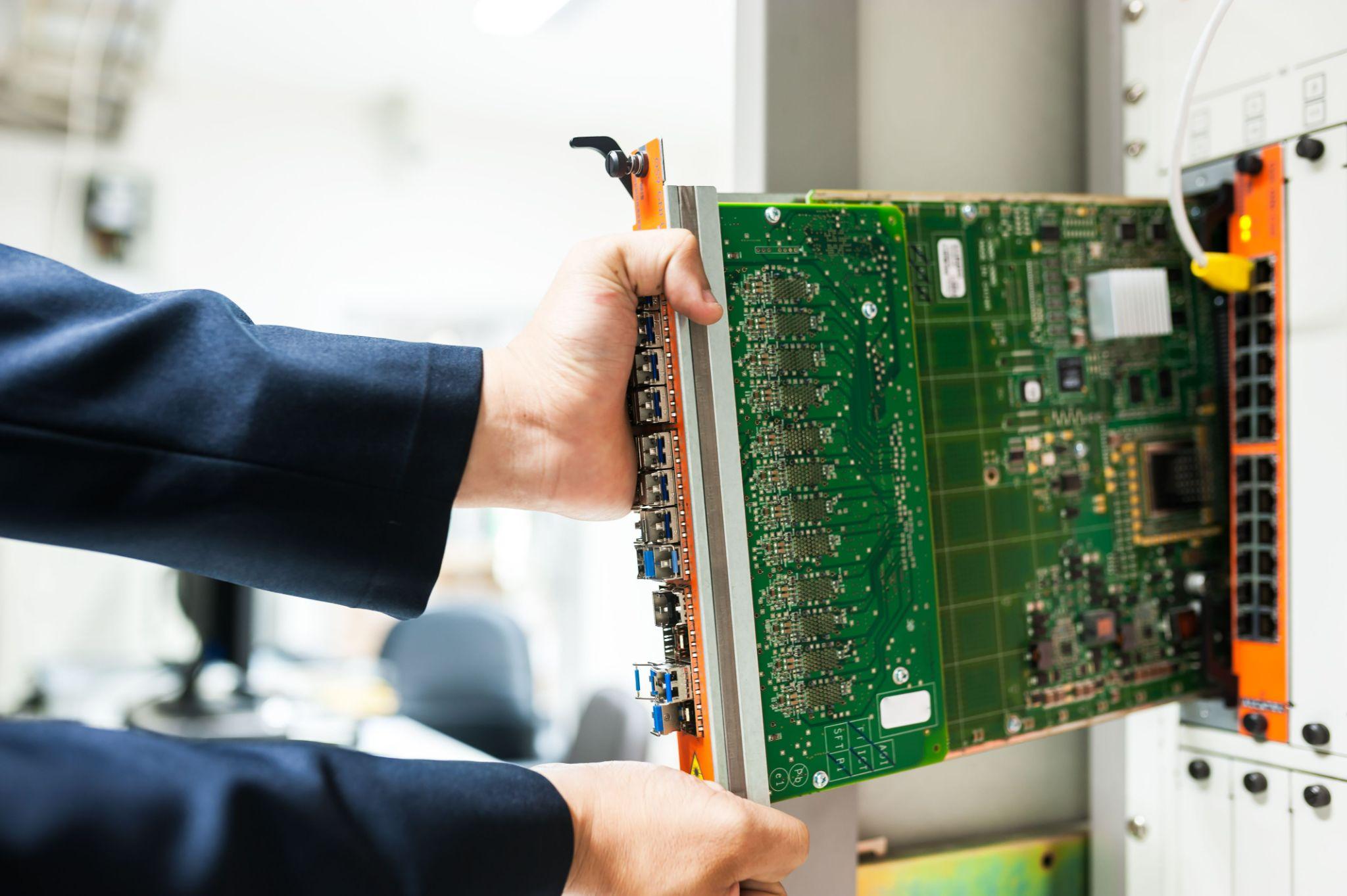
A rack that works perfectly in a spreadsheet can be awkward to operate once it is live.
You need enough room to:
trace connections
replace a cable without disturbing another
reach rack PDUs
remove hardware on its rails
maintain fibre bend radius
replace failed components
access both sides of equipment where required
This is one reason wider or deeper cabinets sometimes make sense even when the server chassis themselves do not require the additional space.
The extra room may be serving cable management and maintainability rather than compute capacity.
That is not wasted space. It is part of making the installation serviceable.
Alternative text: Engineer removing rack-mounted hardware to service equipment inside a data centre cabinet.
When Rack Sizing Becomes a Footprint Decision
Once several cabinets are involved, the plan also needs to account for:
how racks are grouped
aisle and access requirements
cable routes between cabinets
power distribution
physical separation
expansion space
maintenance access around the deployment
At that point, you are no longer sizing individual racks in isolation. You are planning a physical colocation footprint.
For larger estates that need dedicated space, our Secure Cages & Halls service is intended for deployments that require physically separated colocation space and room for multiple racks.
If rack planning is becoming a multi-cabinet footprint exercise, review our <u>Secure Cages & Halls</u> options to see how dedicated colocation space can be arranged around the estate rather than one cabinet at a time.
A Better Way to Specify a Rack
Before selecting the cabinet, build the requirement from the hardware upwards.
For each device, record:
height in U
chassis and installed rail depth
weight
normal and peak power demand
airflow direction
network and power connections
cable-clearance requirements
maintenance clearance
Then add supporting equipment and a realistic allowance for growth.
Before signing off the rack, you should be able to answer:
1. Does every device fit vertically?
2. Is the cabinet deep enough for the chassis, rails and connections?
3. Is the width suitable for the cable-management approach?
4. Can the rack carry the fully populated weight?
5. Is enough power available for the planned equipment?
6. Can the cooling system remove the resulting heat?
7. Can engineers install and service everything without obstructing adjacent equipment?
8. Is the apparent spare capacity genuinely usable rather than simply empty U space?
If several of those answers are still estimates, the rack specification is not finished.
Choose the Cabinet Around the Hardware
Server rack sizing starts with U height, but that is only the common mounting language.
A 42U rack tells you how much standardised vertical capacity is available. It does not tell you whether a server is too deep, whether a populated cabinet is too heavy, whether another device exceeds the remaining power or cooling capacity, or whether engineers can service the equipment once it is installed.
Start with the hardware. Then work out the cabinet dimensions, power, cooling and access it actually requires.
If you are planning a multi-rack deployment or reassessing how much physical space an expanding estate needs, <u>speak to us about your colocation footprint</u> before the cabinet layout is locked in.
Meta Title: A Guide to Server Rack Sizes for Data Centres | Carbon-Z
Meta Description: Compare server rack sizes, U heights, cabinet depth, weight, cooling and power requirements to choose the right rack for your data centre hardware and growth.
Focus keyword: server rack sizes
URL Slug: server-rack-sizes-for-data-centres
Featured image
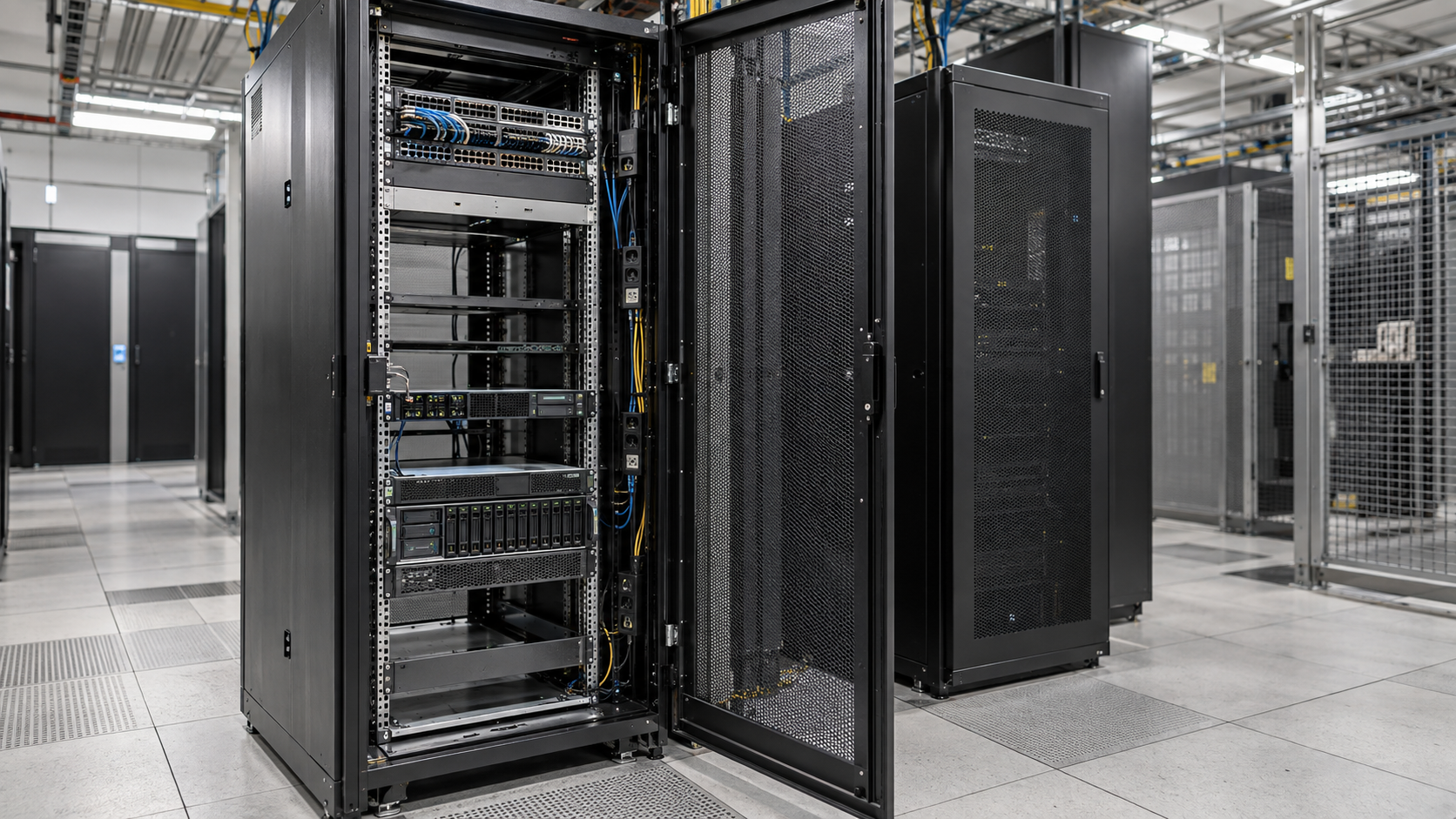
Alternative text: Partially populated server rack showing mounting rails, equipment depth and unused rack space.



%20--%3e%3csvg%20version='1.1'%20id='Layer_1'%20xmlns='http://www.w3.org/2000/svg'%20xmlns:xlink='http://www.w3.org/1999/xlink'%20x='0px'%20y='0px'%20viewBox='0%200%20388.2%20150.6'%20style='enable-background:new%200%200%20388.2%20150.6;'%20xml:space='preserve'%3e%3cstyle%20type='text/css'%3e%20.st0{fill:%2304C7FD;}%20.st1{fill:%230068B5;}%20%3c/style%3e%3crect%20y='2.1'%20class='st0'%20width='28.1'%20height='28.1'/%3e%3cpath%20class='st1'%20d='M27.4,148.5V47.3H0.8v101.2H27.4z%20M204.2,149.5v-24.8c-3.9,0-7.2-0.2-9.6-0.6c-2.8-0.4-4.9-1.4-6.3-2.8%20c-1.4-1.4-2.3-3.4-2.8-6c-0.4-2.5-0.6-5.8-0.6-9.8V70.1h19.3V47.3h-19.3V7.8h-26.7v97.9c0,8.3,0.7,15.3,2.1,20.9%20c1.4,5.5,3.8,10,7.1,13.4s7.7,5.8,13,7.3c5.4,1.5,12.2,2.2,20.3,2.2L204.2,149.5L204.2,149.5z%20M357,148.5V0h-26.7v148.5H357z%20M132.5,57.2c-7.4-8-17.8-12-31-12c-6.4,0-12.2,1.3-17.5,3.9c-5.2,2.6-9.7,6.2-13.2,10.8l-1.5,1.9v-1.7V47.3H43v101.2h26.5V94.6v3.7%20c0-0.6,0-1.2,0-1.8c0.3-9.5,2.6-16.5,7-21c4.7-4.8,10.4-7.2,16.9-7.2c7.7,0,13.6,2.4,17.5,7c3.8,4.6,5.8,11.1,5.8,19.4l0,0v0.2l0,0%20l0,0v53.5h26.9V91C143.7,76.6,139.9,65.2,132.5,57.2z%20M316.5,97.7c0-7.3-1.3-14.1-3.8-20.5c-2.6-6.3-6.2-11.9-10.7-16.7%20c-4.6-4.8-10.1-8.5-16.5-11.2s-13.5-4-21.2-4c-7.3,0-14.2,1.4-20.6,4.1c-6.4,2.8-12,6.5-16.7,11.2s-8.5,10.3-11.2,16.7%20c-2.8,6.4-4.1,13.3-4.1,20.6c0,7.3,1.3,14.2,3.9,20.6c2.6,6.4,6.3,12,10.9,16.7c4.6,4.7,10.3,8.5,16.9,11.2%20c6.6,2.8,13.9,4.2,21.7,4.2c22.6,0,36.6-10.3,45-19.9l-19.2-14.6c-4,4.8-13.6,11.3-25.6,11.3c-7.5,0-13.7-1.7-18.4-5.2%20c-4.7-3.4-7.9-8.2-9.6-14.1l-0.3-0.9h79.5L316.5,97.7L316.5,97.7z%20M237.2,88.4c0-7.4,8.5-20.3,26.8-20.4c18.3,0,26.9,12.9,26.9,20.3%20L237.2,88.4z'/%3e%3cpath%20class='st1'%20d='M387.4,135.3c-0.5-1.2-1.2-2.2-2.1-3.1c-0.9-0.9-1.9-1.6-3.1-2.1s-2.5-0.8-3.8-0.8c-1.4,0-2.6,0.3-3.8,0.8%20c-1.2,0.5-2.2,1.2-3.1,2.1c-0.9,0.9-1.6,1.9-2.1,3.1c-0.5,1.2-0.8,2.5-0.8,3.8c0,1.4,0.3,2.6,0.8,3.8s1.2,2.2,2.1,3.1%20c0.9,0.9,1.9,1.6,3.1,2.1s2.5,0.8,3.8,0.8c1.4,0,2.6-0.3,3.8-0.8c1.2-0.5,2.2-1.2,3.1-2.1c0.9-0.9,1.6-1.9,2.1-3.1%20c0.5-1.2,0.8-2.5,0.8-3.8S387.9,136.5,387.4,135.3z%20M385.8,142.3c-0.4,1-1,1.9-1.7,2.6c-0.7,0.7-1.6,1.3-2.6,1.7s-2,0.6-3.2,0.6%20c-1.1,0-2.2-0.2-3.2-0.6c-1-0.4-1.9-1-2.6-1.7s-1.3-1.6-1.7-2.6c-0.4-1-0.6-2-0.6-3.2c0-1.1,0.2-2.2,0.6-3.2s1-1.9,1.7-2.6%20c0.7-0.7,1.6-1.3,2.6-1.7s2-0.6,3.2-0.6c1.1,0,2.2,0.2,3.2,0.6c1,0.4,1.9,1,2.6,1.7s1.3,1.6,1.7,2.6c0.4,1,0.6,2,0.6,3.2%20C386.5,140.3,386.2,141.3,385.8,142.3z%20M380.2,139.9c0.8-0.1,1.4-0.4,1.9-0.9s0.8-1.2,0.8-2.2c0-1.1-0.3-1.9-1-2.5%20c-0.6-0.6-1.7-0.9-3-0.9h-4.4v11.3h2.1v-4.6h1.5l2.8,4.6h2.2L380.2,139.9z%20M379.1,138.3c-0.3,0-0.6,0-1,0h-1.5v-3.2h1.5%20c0.3,0,0.6,0,1,0c0.3,0,0.6,0.1,0.9,0.2c0.3,0.1,0.5,0.3,0.6,0.5s0.2,0.5,0.2,0.9s-0.1,0.7-0.2,0.9c-0.2,0.2-0.4,0.4-0.6,0.5%20C379.7,138.2,379.4,138.3,379.1,138.3z'/%3e%3c/svg%3e)