


A data centre migration can look straightforward on a project plan: shut down the equipment, move it, reconnect it, and bring the services back online.
The real migration risk sits in the dependencies between those steps.
Applications rely on networks, storage, identity services, external connections and other systems that may not be obvious from a rack inventory. At the destination, having enough physical space is not enough if power, cooling, connectivity or access arrangements have not been tested against the equipment that is actually arriving.
A practical data centre migration checklist should reduce that uncertainty before the cutover begins. It should show what is moving, what each service depends on, whether the destination is ready, how recovery will work and who can stop the migration if an agreed condition is not met.
The physical move may happen over a weekend. The work that makes it controlled starts much earlier.
Define success before choosing the migration date
Start with the services the organisation needs to protect, not the racks you intend to move.
For every business-critical workload, establish what a successful migration means. That includes acceptable downtime, important dependencies, recovery expectations, and the person who can confirm that the service is working normally after cutover.
This prevents the technical team from treating "server powered on" as the definition of success.
Document:
business and technical ownership
acceptable outage window
application and storage dependencies
network and external connections
authentication requirements
recovery objectives
validation tests
rollback criteria
Some systems will need to move together. Others may be able to remain temporarily at the source site.
Those dependencies should determine the migration sequence.
Verify what is actually running
Migration planning often exposes a gap between what documentation says exists and what is really operating.
The NCSC's asset management guidance recommends maintaining an accurate and authoritative understanding of technology and information assets. That becomes particularly important before physically relocating infrastructure.
Your discovery work should cover hardware, virtual machines, storage, switches, firewalls, software licences, external connections, power requirements and the owners of critical services.
Where practical, compare documentation with the physical racks, monitoring systems, network configuration and asset records.
This is also the right time to decide what does not need to move .
Unused circuits, obsolete appliances, unsupported systems and redundant hardware introduce extra work and dependencies. Retiring them before migration reduces the number of variables the team has to control during cutover.
Data centre migration checklist
Before setting the final cutover date, confirm that you can answer yes to each of these.
Critical services, technical owners and acceptable downtime are documented.
Hardware, virtual infrastructure, storage and network assets have been verified.
Application, storage, authentication and network dependencies are mapped.
Obsolete or unnecessary infrastructure has been identified for retirement.
Destination rack space, equipment fit, power and cooling have been confirmed.
Required carrier circuits, cross-connects and network routes are ready.
Firewall, VLAN, DNS and addressing changes have been prepared.
Backups, replication and recovery procedures have been tested.
Workloads are grouped into an agreed migration sequence.
The cutover runbook gives every action a named owner.
Go/no-go conditions and rollback thresholds are documented.
Post-migration infrastructure and application tests are agreed.
Escalation contacts and decision-makers are available during cutover.
The source environment will remain available through the agreed rollback period where practical.
Decommissioning will begin only after formal migration acceptance.
Treat these as migration gates rather than boxes to tick on the day.
If a critical dependency remains unresolved, a recovery procedure is untested, or a destination connection is incomplete, that workload may not yet meet the agreed go-live criteria.
Prove the destination before production arrives
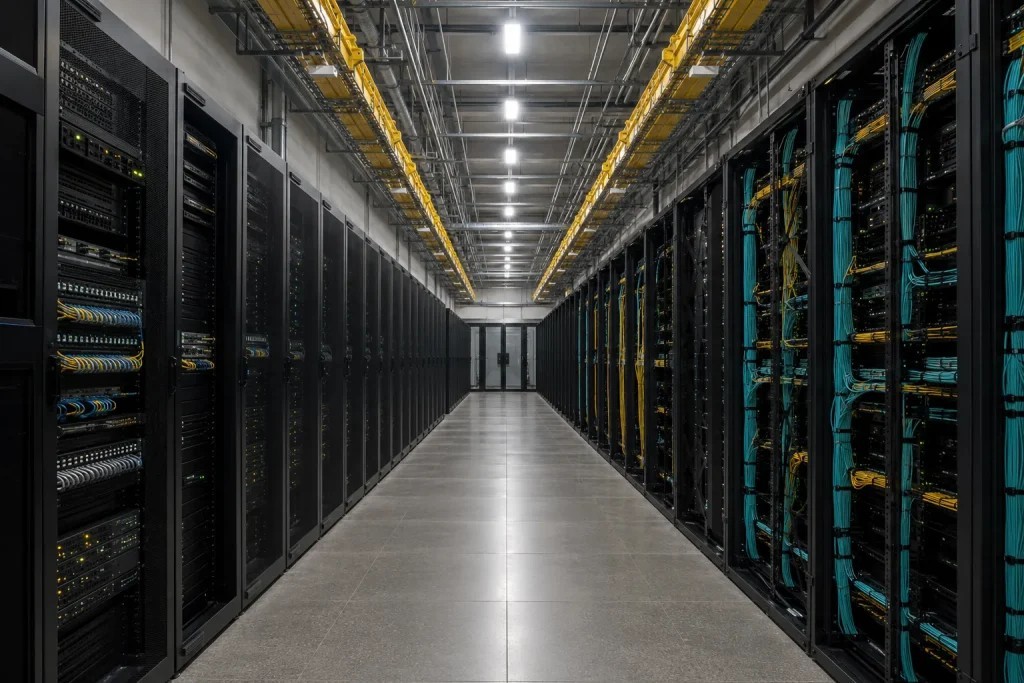
A new data centre should be considered ready only when the infrastructure required by the incoming workloads has been checked.
Do not wait until migration night to discover that a server does not fit the cabinet, a PDU has the wrong connector, or a rack needs more cooling than the assigned location can provide.
Confirm the expected power draw and density rather than simply recreating the old rack layout.
Consider:
contracted power allocation
rack-level power requirements
PDU capacity and connector types
A/B feeds where required
expected thermal load
air or liquid-cooling requirements
future capacity headroom
If the migration includes hardware consolidation, AI infrastructure, or higher-density equipment, reassess the target environment around the new configuration.
At Carbon-Z, we assess air-cooled deployments individually to confirm that rack positioning, power draw, and airflow requirements are matched to the appropriate part of the facility. The same principle applies to migration planning: the destination should be matched to the hardware rather than assuming the existing layout can simply be reproduced.
For standard compute, storage and networking infrastructure that remains within conventional cooling requirements, our air-cooled colocation service provides a hosted environment built around those workload requirements.
When the destination itself is still being evaluated, our guide to where to colocate in the UK covers the wider power, cooling, connectivity and capacity questions worth resolving before committing to infrastructure.
Prepare rack elevations in advance.
Account for the server hardware as well as PDUs, switching, patching, cable routing, airflow clearance, liquid-cooling equipment where applicable, and maintenance access.
Rails, brackets, and associated components should also be matched to the equipment they belong to.
A box of unlabelled rails has derailed more than one supposedly straightforward installation.
Treat connectivity as its own workstream
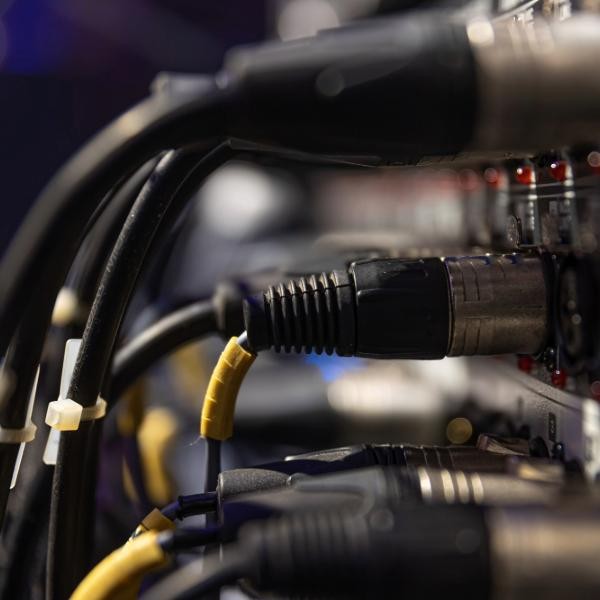
A correctly installed server is still unavailable if the production network path is incomplete.
Connectivity planning should begin early because carrier circuits, cross-connects and third-party changes may take longer than the physical move itself.
Before cutover, verify that required circuits are live and that routing, VLANs, firewall rules, DNS changes, remote management and monitoring have been prepared.
Private connections and external partner routes should be tested wherever possible before production workloads move.
Where resilience matters, the migration can also be an opportunity to remove an existing network single point of failure. Our guide to improving network resilience in data centres explains why carrier and path diversity should be considered alongside bandwidth.
Where new network routes are needed, Carbon-Z's data centre connectivity services include carrier-neutral access, dedicated internet and private cross-connects. These connections should be scoped before the cutover date is fixed rather than after the equipment arrives.
Write the runbook backwards from rollback
A migration runbook should not begin with shutting down the first server.
Start with the point at which the team would stop the migration and recover the service using the agreed fallback plan.
For each workload, define four things:
Go condition: What must be true before the migration starts?
Validation condition: What proves the workload is operating correctly at the destination?
Rollback trigger: Which failure or delay means the migration stops?
Rollback deadline: At what point is there no longer enough time to recover the original service within the agreed window?
Those thresholds give the migration team agreed decision points before the cutover window starts.
Uptime Institute's Annual Outage Analysis 2026 reports that failure to follow established procedures remains the leading driver of human-error-related outages. Unclear or inconsistent processes also continue to contribute.
A migration runbook should therefore specify actions, owners, timings, and evidence of completion rather than rely on instructions such as "move server" or "test application".
Move workloads in deliberate waves
Not every environment should move in one large cutover.
Where the architecture allows it, phased migration allows the team to prove the new environment and refine the process before the most critical systems move.
A typical order might be:
Foundation services needed to manage or monitor the destination.
Lower-risk workloads that can prove rack, network, and operational procedures.
Related application groups that should remain together.
Critical production systems once the process has been demonstrated.
Specialist or residual equipment requiring additional handling.
Dependencies take priority over a neat project schedule.
Do not split closely connected systems simply to create tidy migration waves if doing so introduces unacceptable latency, operational complexity or additional failure points.
Test the recovery route before shutdown
"Backup completed" is not the same as "service can be recovered".
Before moving a critical workload, establish whether the planned recovery process works within the available time.
The NCSC guidance on resilient networks and systems recommends maintaining secured and accessible backups while routinely checking that restoration processes work.
For migration purposes, confirm:
the timing of the final recoverable copy
whether configuration data is included
whether recovery data remains accessible if the source environment is unavailable
how long restoration has taken during testing
how changes made during cutover will be handled
who can authorise rollback
For workloads with very short recovery requirements, replication or temporary parallel operation may be more appropriate than relying entirely on restoration from backup.
That decision should be made during planning, not after a cutover fails.
Keep migration day deliberately boring
The migration window should be the execution of decisions already made.
Before shutdown begins, freeze unrelated infrastructure changes, confirm recovery status, verify that both sites are ready, and make sure the people responsible for power, network, applications, and escalation are available.
Physical equipment should also remain traceable through removal, transport, and installation.
Label hardware, rails, cabling and associated components clearly. Where infrastructure or stored data is sensitive, transport and site-access controls should reflect the organisation's security requirements.
Most importantly, record deviations from the runbook as they occur.
If the first migration wave exposes a wrong assumption, later waves should benefit from that information.
Power-on is only the start of validation
Once the hardware has been installed, test the service rather than just the equipment.
Validation should cover four levels:
Infrastructure: hardware health, storage, interfaces and monitoring.
Network: routing, DNS, firewall behaviour, remote management and resilience.
Application: services, databases and external integrations.
Business: the agreed user or service-owner acceptance tests.
Backup jobs and alerts should also be checked after the move.
Where performance matters, compare the migrated service with an agreed pre-migration baseline rather than assuming that a running application is performing normally.
Decommission only after formal acceptance
The old environment should not disappear simply because the new one has powered on successfully.
Once the destination has passed its technical and business validation and the agreed rollback period has ended, the source environment can be retired in a controlled way.
That may include removing old DNS records and firewall rules, closing redundant circuits, updating diagrams and asset records, removing old monitoring targets and sanitising storage before disposal or reuse.
Closing the original environment too early removes recovery options.
Leaving it indefinitely creates duplicated cost and additional infrastructure to maintain and secure.
The retirement date should therefore be part of the migration plan from the beginning.
Leave very little to decide during cutover
A useful data centre migration checklist cannot guarantee that every change will go exactly to plan.
Its purpose is to expose foreseeable problems while there is still time to resolve them.
By the time the migration window begins, the team should understand the dependencies, know that the destination has been validated, have working network paths, know how each service will be tested, and have agreed thresholds for stopping or rolling back the change.
The physical move is only one part of the project.
The real risk reduction comes from proving as much as possible before the first production system is switched off.



%20--%3e%3csvg%20version='1.1'%20id='Layer_1'%20xmlns='http://www.w3.org/2000/svg'%20xmlns:xlink='http://www.w3.org/1999/xlink'%20x='0px'%20y='0px'%20viewBox='0%200%20388.2%20150.6'%20style='enable-background:new%200%200%20388.2%20150.6;'%20xml:space='preserve'%3e%3cstyle%20type='text/css'%3e%20.st0{fill:%2304C7FD;}%20.st1{fill:%230068B5;}%20%3c/style%3e%3crect%20y='2.1'%20class='st0'%20width='28.1'%20height='28.1'/%3e%3cpath%20class='st1'%20d='M27.4,148.5V47.3H0.8v101.2H27.4z%20M204.2,149.5v-24.8c-3.9,0-7.2-0.2-9.6-0.6c-2.8-0.4-4.9-1.4-6.3-2.8%20c-1.4-1.4-2.3-3.4-2.8-6c-0.4-2.5-0.6-5.8-0.6-9.8V70.1h19.3V47.3h-19.3V7.8h-26.7v97.9c0,8.3,0.7,15.3,2.1,20.9%20c1.4,5.5,3.8,10,7.1,13.4s7.7,5.8,13,7.3c5.4,1.5,12.2,2.2,20.3,2.2L204.2,149.5L204.2,149.5z%20M357,148.5V0h-26.7v148.5H357z%20M132.5,57.2c-7.4-8-17.8-12-31-12c-6.4,0-12.2,1.3-17.5,3.9c-5.2,2.6-9.7,6.2-13.2,10.8l-1.5,1.9v-1.7V47.3H43v101.2h26.5V94.6v3.7%20c0-0.6,0-1.2,0-1.8c0.3-9.5,2.6-16.5,7-21c4.7-4.8,10.4-7.2,16.9-7.2c7.7,0,13.6,2.4,17.5,7c3.8,4.6,5.8,11.1,5.8,19.4l0,0v0.2l0,0%20l0,0v53.5h26.9V91C143.7,76.6,139.9,65.2,132.5,57.2z%20M316.5,97.7c0-7.3-1.3-14.1-3.8-20.5c-2.6-6.3-6.2-11.9-10.7-16.7%20c-4.6-4.8-10.1-8.5-16.5-11.2s-13.5-4-21.2-4c-7.3,0-14.2,1.4-20.6,4.1c-6.4,2.8-12,6.5-16.7,11.2s-8.5,10.3-11.2,16.7%20c-2.8,6.4-4.1,13.3-4.1,20.6c0,7.3,1.3,14.2,3.9,20.6c2.6,6.4,6.3,12,10.9,16.7c4.6,4.7,10.3,8.5,16.9,11.2%20c6.6,2.8,13.9,4.2,21.7,4.2c22.6,0,36.6-10.3,45-19.9l-19.2-14.6c-4,4.8-13.6,11.3-25.6,11.3c-7.5,0-13.7-1.7-18.4-5.2%20c-4.7-3.4-7.9-8.2-9.6-14.1l-0.3-0.9h79.5L316.5,97.7L316.5,97.7z%20M237.2,88.4c0-7.4,8.5-20.3,26.8-20.4c18.3,0,26.9,12.9,26.9,20.3%20L237.2,88.4z'/%3e%3cpath%20class='st1'%20d='M387.4,135.3c-0.5-1.2-1.2-2.2-2.1-3.1c-0.9-0.9-1.9-1.6-3.1-2.1s-2.5-0.8-3.8-0.8c-1.4,0-2.6,0.3-3.8,0.8%20c-1.2,0.5-2.2,1.2-3.1,2.1c-0.9,0.9-1.6,1.9-2.1,3.1c-0.5,1.2-0.8,2.5-0.8,3.8c0,1.4,0.3,2.6,0.8,3.8s1.2,2.2,2.1,3.1%20c0.9,0.9,1.9,1.6,3.1,2.1s2.5,0.8,3.8,0.8c1.4,0,2.6-0.3,3.8-0.8c1.2-0.5,2.2-1.2,3.1-2.1c0.9-0.9,1.6-1.9,2.1-3.1%20c0.5-1.2,0.8-2.5,0.8-3.8S387.9,136.5,387.4,135.3z%20M385.8,142.3c-0.4,1-1,1.9-1.7,2.6c-0.7,0.7-1.6,1.3-2.6,1.7s-2,0.6-3.2,0.6%20c-1.1,0-2.2-0.2-3.2-0.6c-1-0.4-1.9-1-2.6-1.7s-1.3-1.6-1.7-2.6c-0.4-1-0.6-2-0.6-3.2c0-1.1,0.2-2.2,0.6-3.2s1-1.9,1.7-2.6%20c0.7-0.7,1.6-1.3,2.6-1.7s2-0.6,3.2-0.6c1.1,0,2.2,0.2,3.2,0.6c1,0.4,1.9,1,2.6,1.7s1.3,1.6,1.7,2.6c0.4,1,0.6,2,0.6,3.2%20C386.5,140.3,386.2,141.3,385.8,142.3z%20M380.2,139.9c0.8-0.1,1.4-0.4,1.9-0.9s0.8-1.2,0.8-2.2c0-1.1-0.3-1.9-1-2.5%20c-0.6-0.6-1.7-0.9-3-0.9h-4.4v11.3h2.1v-4.6h1.5l2.8,4.6h2.2L380.2,139.9z%20M379.1,138.3c-0.3,0-0.6,0-1,0h-1.5v-3.2h1.5%20c0.3,0,0.6,0,1,0c0.3,0,0.6,0.1,0.9,0.2c0.3,0.1,0.5,0.3,0.6,0.5s0.2,0.5,0.2,0.9s-0.1,0.7-0.2,0.9c-0.2,0.2-0.4,0.4-0.6,0.5%20C379.7,138.2,379.4,138.3,379.1,138.3z'/%3e%3c/svg%3e)