
Most data centres were designed around air cooling. Most of the workloads filling them now were not. With rack densities climbing well past 10kW and GPU clusters routinely drawing 30kW to 100kW per pod, how you manage heat has a direct bearing on uptime, operating costs, and how far your infrastructure can realistically scale.
We work through this question with clients regularly, across power assessments and migration consultations, so here is a clear-headed breakdown of both approaches, what each does well, where each falls short, and how to make the right call for your workload.
Air cooling is the default for most enterprise IT environments. Computer room air conditioning (CRAC) units, in-row coolers, and hot aisle/cold aisle containment all work on the same fundamental principle: move air across components to carry heat away and exhaust it outside the data centre. It is a well-understood technology with a mature supply chain, and most hardware ships ready to operate in an air-cooled environment without modification.
Standard enterprise workloads such as networking, storage, and web hosting
Racks running between 4kW and 10kW per cabinet
Environments where hardware flexibility and quick swap-outs are a priority
Deployments that need to be up quickly with minimal lead time
For typical colocation requirements, air cooling remains a sensible, cost-effective choice. It is predictable, easy to manage, and does the job reliably when power densities stay within manageable limits.
Beyond roughly 10kW to 15kW per rack, air cooling starts requiring disproportionate airflow volumes to keep components within safe operating ranges defined by ASHRAE thermal guidelines. You are moving more air, running fans harder, and spending more on power to achieve the same cooling effect. The Power Usage Effectiveness (PUE) of an air-cooled environment typically sits between 1.4 and 1.6, meaning for every 1kW of IT load, an additional 0.4 to 0.6kW is spent purely on cooling.
The industry as a whole has made little progress here. The Uptime Institute's Global Data Centre Survey 2024 found that the average PUE across data centres worldwide sits at 1.56, essentially flat for five consecutive years, largely because of the volume of older, air-cooled facilities still in operation.
Liquid cooling removes heat by bringing a coolant into direct contact with the heat source, rather than relying on airflow. Because water and dielectric fluids carry heat far more efficiently than air, thermal transfer happens faster and with considerably less energy. There are two primary approaches in use at the data centre level.
Direct-to-Chip cooling delivers coolant via cold plates mounted directly onto processors and GPU dies. The liquid absorbs heat at the source and carries it away through a closed loop to a heat exchanger or cooling distribution unit (CDU). DTC integrates with existing rack infrastructure and does not require hardware to be submerged, making it well-suited to high-power workloads where you want precision thermal control without a full facility overhaul.
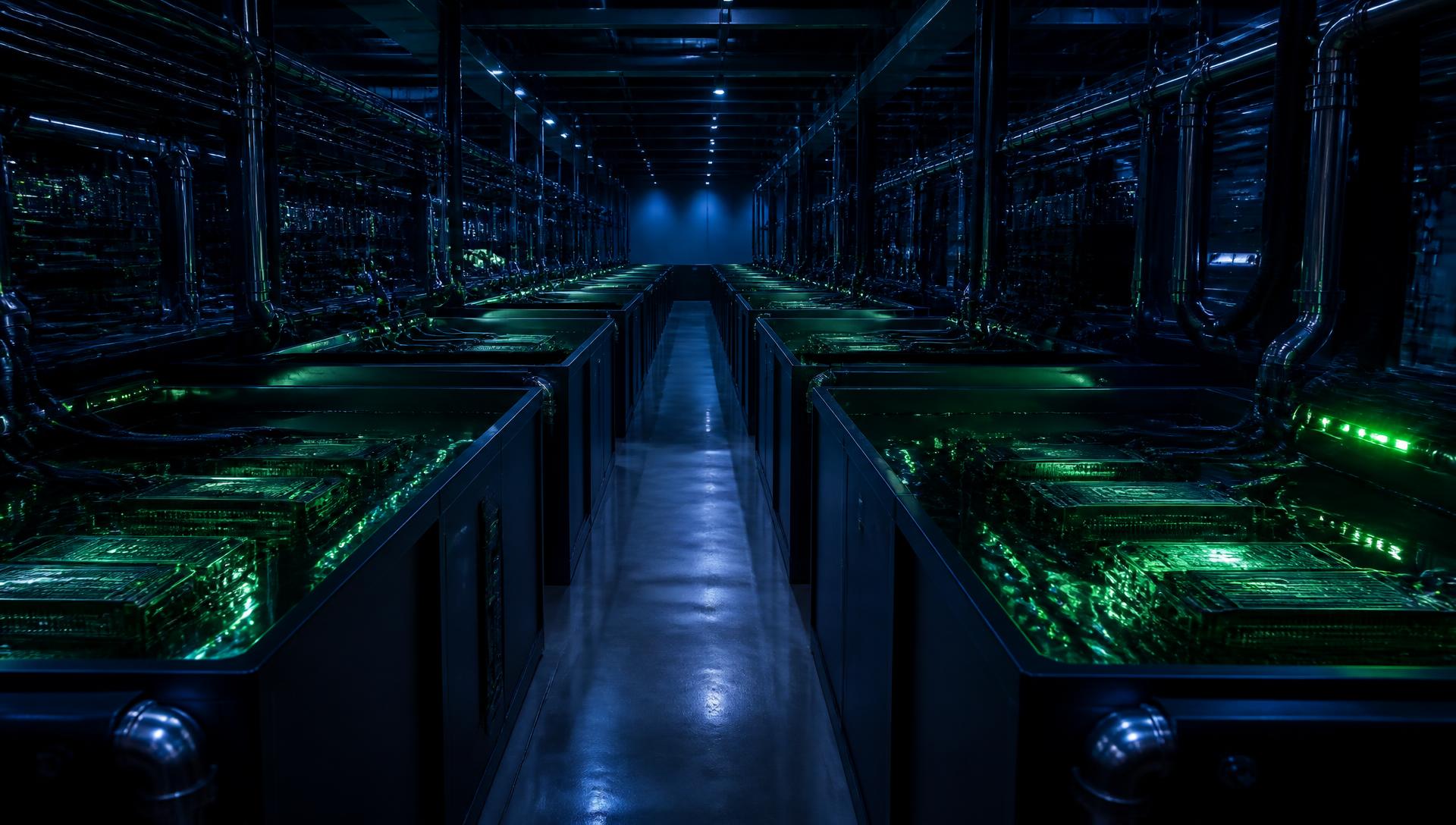
Immersion cooling submerges hardware in a bath of dielectric fluid, which is non-conductive and non-corrosive, absorbing heat from every component simultaneously. In single-phase immersion, the fluid circulates and cools passively. In two-phase immersion, the fluid boils at the component surface and recondenses in a heat exchanger above, enabling higher heat flux removal without pumping overhead.
A peer-reviewed study on data centre cooling strategies , drawing on research published between 2005 and 2024, found that liquid cooling delivers an average PUE of 1.1 to 1.2, compared to 1.4 to 1.5 for air-cooled environments. That gap widens at higher densities, making immersion the natural choice for AI training clusters, HPC workloads, and high-density GPU deployments.
You can read more about how we are tackling this shift in our post on how Carbon-Z is combating obsolete data centres .
Air Cooling vs Liquid Cooling: A Direct Comparison
The key takeaway is that air cooling wins on simplicity and accessibility. Liquid cooling wins on efficiency and headroom once densities climb above the air-cooled threshold.
Our live infrastructure at our ISO 27001, ISO 14001, and ISO 45001 certified facilities supports air-cooled and liquid-cooled workloads side by side, which means you are not choosing between two separate facilities or planning a disruptive migration as your density requirements grow.
Our Immersion Cooling environments are built specifically for the workloads that air cooling cannot comfortably handle. We deploy Immersion Baths from 25kW to 100kW and Direct-to-Chip environments with precision thermal control, alongside standard air-cooled racks for enterprise and networking workloads. You can start in air-cooled staging racks and move specific workloads into liquid-cooled or immersion pods when the hardware is ready, at your pace. We also charge for power, not real estate, so the more efficiently you deploy, the better your cost per kW of IT load.
The infrastructure includes N+1 power and cooling redundancy, 24/7 manned access, and on-site smart hands support for reboots, cabling, and hardware swaps.
If your GPU clusters or AI training workloads are pushing thermal limits, get in touch to request a quote , and we will come back to you within 24 hours.
It depends on what you are running now and what you are planning to run in the next 12 to 24 months.
If your racks are running below 10kW with no plans to introduce GPU-intensive workloads, air cooling will serve you well without unnecessary complexity.
AI inference and training, video rendering, and large-scale simulations are all trending toward higher power per chassis. Modern AI accelerators regularly exceed 700W per card, and multi-GPU nodes can push 10kW or more per 1U or 2U server. Planning around an air-cooled architecture in that context puts you on a path toward expensive inefficiency or a disruptive migration as GPU generations become denser and power draws per accelerator continue to climb. Our post on the growing thirst for AI infrastructure covers this in more detail.
Air-cooled infrastructure has a lower upfront cost, but at high densities, the ongoing power overhead compounds quickly. A joint analysis by NVIDIA and Vertiv, covered in depth by Data Centre Dynamics , found that transitioning to 75% liquid cooling reduced facility power consumption by 27% and cut server fan power by up to 80%. With savings at that scale, the payback period on liquid cooling infrastructure shortens considerably for any deployment running sustained, high-density loads.
Liquid cooling supports far higher densities per unit of floor space, which means you can do more with less. For organisations paying per rack or per square metre, that compression has a direct impact on colocation spend. Our ATOM micro data centre is worth exploring if scalable, high-efficiency compute without a full facility commitment is what you need.
A Practical Path Forward
We do not think this needs to be an all-or-nothing decision. Many organisations benefit from a staged approach: starting in air-cooled racks for standard IT, then transitioning specific workloads into liquid-cooled or immersion environments as density requirements grow.
The most important thing is to choose a colocation environment that can support both. Legacy facilities built around air cooling alone create a hard ceiling on what you can deploy. Native support for DTC and immersion, alongside conventional air-cooled options, keeps your options open.
If you are unsure which direction makes sense for your current hardware, book a free power assessment , and we will give you a technical review of your rack densities, power draw, and workload profile to help you plan with confidence.



%20--%3e%3csvg%20version='1.1'%20id='Layer_1'%20xmlns='http://www.w3.org/2000/svg'%20xmlns:xlink='http://www.w3.org/1999/xlink'%20x='0px'%20y='0px'%20viewBox='0%200%20388.2%20150.6'%20style='enable-background:new%200%200%20388.2%20150.6;'%20xml:space='preserve'%3e%3cstyle%20type='text/css'%3e%20.st0{fill:%2304C7FD;}%20.st1{fill:%230068B5;}%20%3c/style%3e%3crect%20y='2.1'%20class='st0'%20width='28.1'%20height='28.1'/%3e%3cpath%20class='st1'%20d='M27.4,148.5V47.3H0.8v101.2H27.4z%20M204.2,149.5v-24.8c-3.9,0-7.2-0.2-9.6-0.6c-2.8-0.4-4.9-1.4-6.3-2.8%20c-1.4-1.4-2.3-3.4-2.8-6c-0.4-2.5-0.6-5.8-0.6-9.8V70.1h19.3V47.3h-19.3V7.8h-26.7v97.9c0,8.3,0.7,15.3,2.1,20.9%20c1.4,5.5,3.8,10,7.1,13.4s7.7,5.8,13,7.3c5.4,1.5,12.2,2.2,20.3,2.2L204.2,149.5L204.2,149.5z%20M357,148.5V0h-26.7v148.5H357z%20M132.5,57.2c-7.4-8-17.8-12-31-12c-6.4,0-12.2,1.3-17.5,3.9c-5.2,2.6-9.7,6.2-13.2,10.8l-1.5,1.9v-1.7V47.3H43v101.2h26.5V94.6v3.7%20c0-0.6,0-1.2,0-1.8c0.3-9.5,2.6-16.5,7-21c4.7-4.8,10.4-7.2,16.9-7.2c7.7,0,13.6,2.4,17.5,7c3.8,4.6,5.8,11.1,5.8,19.4l0,0v0.2l0,0%20l0,0v53.5h26.9V91C143.7,76.6,139.9,65.2,132.5,57.2z%20M316.5,97.7c0-7.3-1.3-14.1-3.8-20.5c-2.6-6.3-6.2-11.9-10.7-16.7%20c-4.6-4.8-10.1-8.5-16.5-11.2s-13.5-4-21.2-4c-7.3,0-14.2,1.4-20.6,4.1c-6.4,2.8-12,6.5-16.7,11.2s-8.5,10.3-11.2,16.7%20c-2.8,6.4-4.1,13.3-4.1,20.6c0,7.3,1.3,14.2,3.9,20.6c2.6,6.4,6.3,12,10.9,16.7c4.6,4.7,10.3,8.5,16.9,11.2%20c6.6,2.8,13.9,4.2,21.7,4.2c22.6,0,36.6-10.3,45-19.9l-19.2-14.6c-4,4.8-13.6,11.3-25.6,11.3c-7.5,0-13.7-1.7-18.4-5.2%20c-4.7-3.4-7.9-8.2-9.6-14.1l-0.3-0.9h79.5L316.5,97.7L316.5,97.7z%20M237.2,88.4c0-7.4,8.5-20.3,26.8-20.4c18.3,0,26.9,12.9,26.9,20.3%20L237.2,88.4z'/%3e%3cpath%20class='st1'%20d='M387.4,135.3c-0.5-1.2-1.2-2.2-2.1-3.1c-0.9-0.9-1.9-1.6-3.1-2.1s-2.5-0.8-3.8-0.8c-1.4,0-2.6,0.3-3.8,0.8%20c-1.2,0.5-2.2,1.2-3.1,2.1c-0.9,0.9-1.6,1.9-2.1,3.1c-0.5,1.2-0.8,2.5-0.8,3.8c0,1.4,0.3,2.6,0.8,3.8s1.2,2.2,2.1,3.1%20c0.9,0.9,1.9,1.6,3.1,2.1s2.5,0.8,3.8,0.8c1.4,0,2.6-0.3,3.8-0.8c1.2-0.5,2.2-1.2,3.1-2.1c0.9-0.9,1.6-1.9,2.1-3.1%20c0.5-1.2,0.8-2.5,0.8-3.8S387.9,136.5,387.4,135.3z%20M385.8,142.3c-0.4,1-1,1.9-1.7,2.6c-0.7,0.7-1.6,1.3-2.6,1.7s-2,0.6-3.2,0.6%20c-1.1,0-2.2-0.2-3.2-0.6c-1-0.4-1.9-1-2.6-1.7s-1.3-1.6-1.7-2.6c-0.4-1-0.6-2-0.6-3.2c0-1.1,0.2-2.2,0.6-3.2s1-1.9,1.7-2.6%20c0.7-0.7,1.6-1.3,2.6-1.7s2-0.6,3.2-0.6c1.1,0,2.2,0.2,3.2,0.6c1,0.4,1.9,1,2.6,1.7s1.3,1.6,1.7,2.6c0.4,1,0.6,2,0.6,3.2%20C386.5,140.3,386.2,141.3,385.8,142.3z%20M380.2,139.9c0.8-0.1,1.4-0.4,1.9-0.9s0.8-1.2,0.8-2.2c0-1.1-0.3-1.9-1-2.5%20c-0.6-0.6-1.7-0.9-3-0.9h-4.4v11.3h2.1v-4.6h1.5l2.8,4.6h2.2L380.2,139.9z%20M379.1,138.3c-0.3,0-0.6,0-1,0h-1.5v-3.2h1.5%20c0.3,0,0.6,0,1,0c0.3,0,0.6,0.1,0.9,0.2c0.3,0.1,0.5,0.3,0.6,0.5s0.2,0.5,0.2,0.9s-0.1,0.7-0.2,0.9c-0.2,0.2-0.4,0.4-0.6,0.5%20C379.7,138.2,379.4,138.3,379.1,138.3z'/%3e%3c/svg%3e)