
Liquid cooling has moved from specialist high-performance computing into mainstream data centre planning. Racks are getting denser, AI workloads are harder to cool, and traditional air cooling can become difficult to scale as power density rises.
For buyers, the question is no longer whether liquid cooling sounds clever. It is whether it suits your workload, hardware, operating model and growth plan.
At Carbon-Z, we look at cooling as part of the whole infrastructure picture. Power, resilience, deployment speed, monitoring, sustainability and long-term cost all need to work together. A cooling system can look impressive in a sales deck, but if it does not fit your compute profile, it may fail to solve the real infrastructure problem.
This guide explains the main liquid cooling options and the questions to ask before making a decision.
What Is Liquid Cooling In A Data Centre?
Liquid cooling uses fluid-based systems to remove heat from IT equipment more efficiently than air alone. Instead of relying only on chilled air moving through racks, it moves heat transfer closer to the components, creating the heat.
That can include processors, GPUs, memory, accelerators or complete server systems.
This matters because high-density workloads produce concentrated heat. AI training, inference, GPU clusters, HPC and rendering can reach rack densities that conventional air-cooled environments struggle to manage efficiently.
Liquids can transfer heat more effectively than air in properly designed cooling systems, but that does not mean every data centre should switch overnight. The right answer depends on workload density, hardware compatibility, facility readiness, maintenance access and commercial value.
Why Buyers Are Looking At Liquid Cooling
The growth of AI and high-density compute has changed what buyers need from infrastructure.
The International Energy Agency's guidance on energy demand from AI shows why power and thermal planning now need closer attention as AI adoption grows. That does not mean every workload needs liquid cooling, but it does mean buyers should treat cooling as a strategic infrastructure decision, not a late-stage facilities problem.
Liquid cooling can help support:
Higher rack densities
More stable thermal performance
Lower dependence on high-volume airflow
Better use of physical space
Potentially lower cooling overhead when the design, workload and facility conditions support it
More practical support for GPU and AI hardware
The value is not just lower temperatures. It is knowing how much compute you can safely support, what it will cost to run, and how it can scale.
Liquid Cooling Options Buyers Should Compare
Liquid cooling is not one product with one buying route. The right choice depends on the workload, rack density, hardware compatibility and how much operational change you are prepared to manage.
For many buyers, the best strategy is a staged approach, with air-cooled racks for standard workloads and liquid-cooled capacity for high-density compute. Our guide to air cooling vs liquid cooling is a useful next step if you are comparing both routes.
Direct-to-chip cooling, often called DTC cooling, removes heat at the component level. Coolant passes through cold plates attached to processors, GPUs or other high-heat parts, then carries that heat away through a controlled loop.
This is often the most practical first step into liquid cooling because it keeps servers in a familiar rack-based format. You still need good design, monitoring and maintenance, but the operating model is usually less disruptive than full immersion.
DTC cooling is worth considering when you are planning GPU-heavy infrastructure, increasing rack power density, choosing cold plate-ready hardware or trying to improve thermal control without changing the entire operating model.
One point buyers often miss is that some components may still need airflow. Direct-to-chip cooling usually removes heat from the main heat-generating components, but server design still matters.
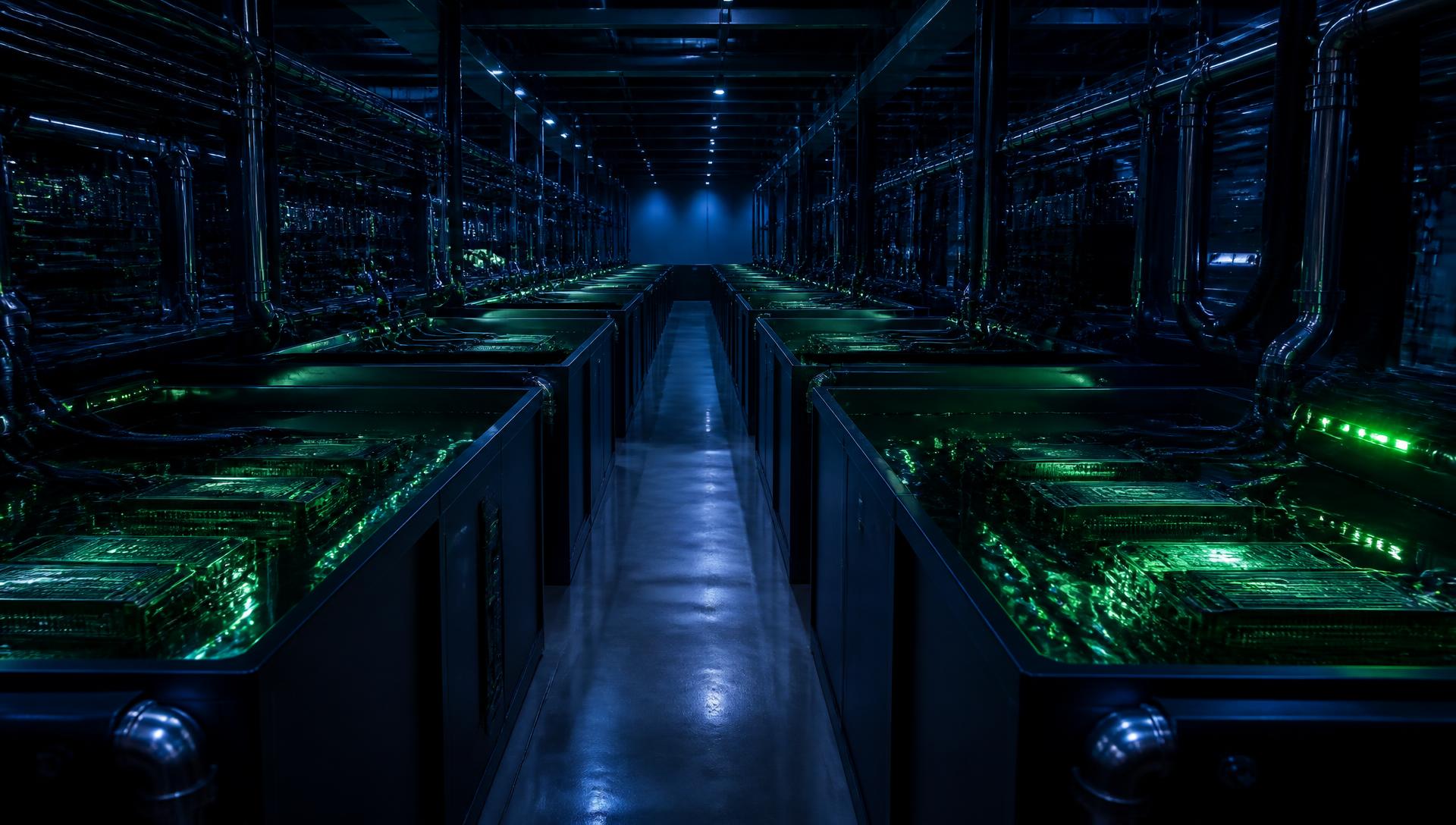
Immersion cooling places servers or components into a non-conductive dielectric fluid. The fluid absorbs heat from the hardware and transfers it through a heat exchanger.
This approach can support very dense compute because heat is removed directly from the hardware environment. It can also reduce the need for server fans in compatible designs.
ASHRAE's guidance on energy and thermal efficiency for AI data centres recognises direct-to-chip, rear-door heat exchangers and immersion cooling as distinct thermal strategies for higher-density environments. That distinction matters because immersion is not simply better air cooling. It is a different operating model.
At Carbon-Z, we see immersion cooling as a relevant option where buyers need serious density, predictable thermal performance and a practical way to support AI, GPU or HPC workloads.
If you are still weighing the basics, our guide on what immersion cooling means for data centres explains the concept in more detail.
Before committing to immersion cooling, check hardware approval, warranty position, dielectric fluid management, servicing process, monitoring, maintenance access and scalability. Immersion can be highly effective, but it should never be treated as a tank-and-go purchase.
Rear-door heat exchangers are fitted to the rear of racks and remove heat from server exhaust air. They can be useful when buyers want to increase rack density without replacing the whole server platform.
They are often a sensible bridge for facilities that need to support denser zones inside an existing environment. However, they still rely on server airflow. For extreme-density GPU deployments, rear-door systems may help, but they may not be enough on their own.
How To Choose The Right Liquid Cooling Setup
Once you understand the main cooling options, the next job is deciding what fits your actual environment.
Start with the workload, then choose the cooling design that can support it safely. Otherwise, you risk buying around a fashionable technology instead of a real operational need.
Before looking at suppliers, define what you actually need to cool.
Ask:
What applications will run on this infrastructure?
Are we supporting AI, GPU, HPC or standard enterprise workloads?
What rack density do we need now?
What density might we need in three to five years?
Are we refreshing hardware soon?
Will the hardware support liquid cooling?
What level of downtime risk is acceptable?
A clear workload profile gives you a much better basis for comparing cooling designs.
Liquid cooling affects more than the rack. It changes how you plan power, plant, layout, monitoring and maintenance.
A readiness review should cover:
Available power capacity
Rack power density
Cooling distribution units
Pipework routes
Floor loading
Leak detection
Monitoring and alerting
Heat rejection method
Maintenance access
Resilience and failover
Expansion capacity
The Uptime Institute's latest global data centre survey highlights the continued pressure around power, density and infrastructure resilience. For buyers, that makes early power planning just as important as choosing the cooling technology.
If you are unsure what your current setup can realistically support, requesting a data centre power assessment is a practical first step before committing budget to hardware or migration.
Liquid cooling should not be judged on equipment cost alone.
Risk is easier to price before deployment than after an outage, warranty dispute or retrofit.
A good supplier should be able to explain why a cooling option fits your workload.
Ask:
Which cooling approach do you recommend, and why?
What rack densities can you support?
What hardware platforms are compatible?
How is resilience built into the system?
What happens if a pump or CDU fails?
How are leaks detected and isolated?
What monitoring data will we receive?
Can we migrate from air to liquid in stages?
What support do you provide during deployment?
If a supplier cannot explain failure scenarios, hardware limits and maintenance access clearly, the design is not ready for procurement.
Common Buying Mistakes To Avoid
Liquid cooling projects can become costly when the brief is vague.
Avoid:
Choosing cooling before defining workload density
Assuming all liquid cooling systems are the same
Ignoring the server warranty and compatibility
Forgetting that some systems still need airflow
Underestimating maintenance requirements
Comparing only the upfront cost
Treating monitoring as an optional extra
Failing to plan for resilience
Buying for today with no growth path
Using sustainability claims without measurable evidence
Where Carbon-Z Fits
We support data centre environments around modern compute requirements, not yesterday's assumptions. That means standard air-cooled colocation can still make sense for some workloads, while denser AI, GPU and HPC environments may need a different cooling route.
For many organisations, direct-to-chip cooling is a sensible first step. It removes heat close to the source, supports high-power components and allows you to keep a familiar rack-based environment rather than moving straight into a completely different operating model.
Our direct-to-chip cooling service is designed to support the wider cooling route, including coolant distribution, manifold installation, leak detection and scheduled maintenance. That means buyers can assess more than the rack hardware when planning a high-density deployment.
This can be useful if you are planning a hardware refresh, increasing rack density or trying to support demanding workloads without over-stretching traditional cooling. A hardware compatibility review should also be completed before deployment, so the design is checked against the configuration you plan to run.
If your infrastructure is moving towards higher-density compute, explore our direct-to-chip cooling service to see how we can help you design a more efficient, scalable and practical cooling strategy.
The Key Takeaway
Liquid cooling is not a single product. It is a design decision that affects hardware, power, space, maintenance, resilience and long-term cost.
Start with the workload. Then check rack density, hardware compatibility, power availability, operational risk and growth plans. Once those points are clear, the right cooling strategy becomes much easier to choose.
For some environments, air cooling will still be suitable. For high-density AI, GPU and HPC workloads, direct-to-chip or immersion cooling may offer a more efficient and scalable route forward when the hardware and facility design are aligned.
At Carbon-Z, we help you assess the workload, power profile and cooling route before you commit to a design. If you are planning your next data centre move or want to understand whether liquid cooling is the right fit, contact our team , and we will help you find the most practical route forward.



%20--%3e%3csvg%20version='1.1'%20id='Layer_1'%20xmlns='http://www.w3.org/2000/svg'%20xmlns:xlink='http://www.w3.org/1999/xlink'%20x='0px'%20y='0px'%20viewBox='0%200%20388.2%20150.6'%20style='enable-background:new%200%200%20388.2%20150.6;'%20xml:space='preserve'%3e%3cstyle%20type='text/css'%3e%20.st0{fill:%2304C7FD;}%20.st1{fill:%230068B5;}%20%3c/style%3e%3crect%20y='2.1'%20class='st0'%20width='28.1'%20height='28.1'/%3e%3cpath%20class='st1'%20d='M27.4,148.5V47.3H0.8v101.2H27.4z%20M204.2,149.5v-24.8c-3.9,0-7.2-0.2-9.6-0.6c-2.8-0.4-4.9-1.4-6.3-2.8%20c-1.4-1.4-2.3-3.4-2.8-6c-0.4-2.5-0.6-5.8-0.6-9.8V70.1h19.3V47.3h-19.3V7.8h-26.7v97.9c0,8.3,0.7,15.3,2.1,20.9%20c1.4,5.5,3.8,10,7.1,13.4s7.7,5.8,13,7.3c5.4,1.5,12.2,2.2,20.3,2.2L204.2,149.5L204.2,149.5z%20M357,148.5V0h-26.7v148.5H357z%20M132.5,57.2c-7.4-8-17.8-12-31-12c-6.4,0-12.2,1.3-17.5,3.9c-5.2,2.6-9.7,6.2-13.2,10.8l-1.5,1.9v-1.7V47.3H43v101.2h26.5V94.6v3.7%20c0-0.6,0-1.2,0-1.8c0.3-9.5,2.6-16.5,7-21c4.7-4.8,10.4-7.2,16.9-7.2c7.7,0,13.6,2.4,17.5,7c3.8,4.6,5.8,11.1,5.8,19.4l0,0v0.2l0,0%20l0,0v53.5h26.9V91C143.7,76.6,139.9,65.2,132.5,57.2z%20M316.5,97.7c0-7.3-1.3-14.1-3.8-20.5c-2.6-6.3-6.2-11.9-10.7-16.7%20c-4.6-4.8-10.1-8.5-16.5-11.2s-13.5-4-21.2-4c-7.3,0-14.2,1.4-20.6,4.1c-6.4,2.8-12,6.5-16.7,11.2s-8.5,10.3-11.2,16.7%20c-2.8,6.4-4.1,13.3-4.1,20.6c0,7.3,1.3,14.2,3.9,20.6c2.6,6.4,6.3,12,10.9,16.7c4.6,4.7,10.3,8.5,16.9,11.2%20c6.6,2.8,13.9,4.2,21.7,4.2c22.6,0,36.6-10.3,45-19.9l-19.2-14.6c-4,4.8-13.6,11.3-25.6,11.3c-7.5,0-13.7-1.7-18.4-5.2%20c-4.7-3.4-7.9-8.2-9.6-14.1l-0.3-0.9h79.5L316.5,97.7L316.5,97.7z%20M237.2,88.4c0-7.4,8.5-20.3,26.8-20.4c18.3,0,26.9,12.9,26.9,20.3%20L237.2,88.4z'/%3e%3cpath%20class='st1'%20d='M387.4,135.3c-0.5-1.2-1.2-2.2-2.1-3.1c-0.9-0.9-1.9-1.6-3.1-2.1s-2.5-0.8-3.8-0.8c-1.4,0-2.6,0.3-3.8,0.8%20c-1.2,0.5-2.2,1.2-3.1,2.1c-0.9,0.9-1.6,1.9-2.1,3.1c-0.5,1.2-0.8,2.5-0.8,3.8c0,1.4,0.3,2.6,0.8,3.8s1.2,2.2,2.1,3.1%20c0.9,0.9,1.9,1.6,3.1,2.1s2.5,0.8,3.8,0.8c1.4,0,2.6-0.3,3.8-0.8c1.2-0.5,2.2-1.2,3.1-2.1c0.9-0.9,1.6-1.9,2.1-3.1%20c0.5-1.2,0.8-2.5,0.8-3.8S387.9,136.5,387.4,135.3z%20M385.8,142.3c-0.4,1-1,1.9-1.7,2.6c-0.7,0.7-1.6,1.3-2.6,1.7s-2,0.6-3.2,0.6%20c-1.1,0-2.2-0.2-3.2-0.6c-1-0.4-1.9-1-2.6-1.7s-1.3-1.6-1.7-2.6c-0.4-1-0.6-2-0.6-3.2c0-1.1,0.2-2.2,0.6-3.2s1-1.9,1.7-2.6%20c0.7-0.7,1.6-1.3,2.6-1.7s2-0.6,3.2-0.6c1.1,0,2.2,0.2,3.2,0.6c1,0.4,1.9,1,2.6,1.7s1.3,1.6,1.7,2.6c0.4,1,0.6,2,0.6,3.2%20C386.5,140.3,386.2,141.3,385.8,142.3z%20M380.2,139.9c0.8-0.1,1.4-0.4,1.9-0.9s0.8-1.2,0.8-2.2c0-1.1-0.3-1.9-1-2.5%20c-0.6-0.6-1.7-0.9-3-0.9h-4.4v11.3h2.1v-4.6h1.5l2.8,4.6h2.2L380.2,139.9z%20M379.1,138.3c-0.3,0-0.6,0-1,0h-1.5v-3.2h1.5%20c0.3,0,0.6,0,1,0c0.3,0,0.6,0.1,0.9,0.2c0.3,0.1,0.5,0.3,0.6,0.5s0.2,0.5,0.2,0.9s-0.1,0.7-0.2,0.9c-0.2,0.2-0.4,0.4-0.6,0.5%20C379.7,138.2,379.4,138.3,379.1,138.3z'/%3e%3c/svg%3e)