
Ordering GPUs is only one part of an AI infrastructure project. Power, cooling, networking, and deployment planning can become just as important once the hardware arrives.
A cluster may look perfectly manageable on a spreadsheet. Then the equipment turns up, the sustained power draw is higher than expected, the cooling design has little headroom, network lead times stretch, and the go-live date starts slipping. None of those problems makes the GPUs less impressive. They simply stop the hardware from doing what you bought it to do.
That is why AI colocation has moved up the agenda for UK organisations. It offers a practical middle route between renting compute indefinitely from a public cloud and building a private data centre from the ground up.
You own the servers, accelerators, storage, and network design. The colocation provider supplies the power, cooling, physical security, connectivity, and on-site environment required to operate them.
The phrase sounds straightforward. The buying decision is not. Here is how we approach it.
What Is AI Colocation?
AI colocation is the placement of customer-owned artificial intelligence infrastructure inside a professionally operated data centre.
The hardware may include:
GPU servers
CPU compute nodes
High-throughput storage
Network switches
Management and monitoring systems
The facility normally provides resilient electrical supplies, cooling, physical security, carrier connectivity, environmental monitoring, and access to on-site engineering support.
The main difference between cloud and colocation is ownership.
In a public cloud environment, you rent access to computing resources. With colocation, you buy or lease the physical hardware and place it inside somebody else's professionally managed facility.
Cloud can be an excellent option for experimentation, variable demand and rapid access to new tools. Once a GPU estate is operating heavily for sustained periods, however, organisations often begin comparing the continuing rental bill with the cost of owning and colocating their equipment.
Our guide to what it actually costs to run an AI model explains the main cost categories that should form part of that comparison.
Start With the Workload, Not the Rack
"AI workload" is a broad label.
A large training cluster and an inference platform may use similar accelerators, but they do not necessarily require the same location, network layout, or scaling model.
Generic proposals often begin with floor space rather than the electrical and thermal profile of the workload.
We prefer to model the cluster as a complete system.
GPU nodes may require liquid cooling, while storage, networking, and management equipment may operate comfortably in air-cooled racks. Forcing the entire deployment into the most expensive cooling tier wastes money. Forcing it into a standard data hall may leave dense equipment throttled, restricted, or unable to operate as designed.
The right question is not simply "How many racks do we need?"
It is: "What does each part of the infrastructure need at sustained production load?"
AI Colocation, Cloud or On-Premises?
There is no single model that is right for every organisation. The sensible choice depends on utilisation, control, capital, internal expertise, and the speed at which requirements are likely to change.
The cloud is usually the quickest route to testing and early deployment.
It can remove the need for a large upfront hardware purchase and give teams access to infrastructure without waiting for equipment delivery. The difficulty is that long-running compute, reserved capacity, and data movement charges can become harder to predict as usage grows.
An on-premises environment offers the greatest degree of physical control.
It also makes your organisation responsible for the supporting facility, including power distribution, cooling, backup systems, physical security, monitoring and maintenance.
For a modest GPU deployment, the infrastructure surrounding the servers can become a larger project than the hardware itself.
AI colocation keeps hardware ownership and configuration control while transferring facility operations to a specialist provider.
It can suit organisations with:
Sustained or predictable workloads
Specialised GPU hardware
Data-location requirements
High rack-density needs
A preference for owned rather than rented compute
Hybrid designs are also common. Training may run on customer-owned GPUs in colocation, while cloud services handle burst demand, development environments or regional inference.
The architecture should follow the workload and economics, not loyalty to a single infrastructure model.
Power Density Changes the Whole Design
A conventional enterprise rack and a modern GPU rack may occupy roughly the same floor area while behaving like completely different infrastructure.
High-density equipment affects:
Power distribution and cable sizing
Cooling capacity at sustained load
Redundancy design
Floor loading
Physical layout
Capacity across the wider data hall
The word "sustained" matters.
Do not rely on the headline rack-density figure alone. Ask the provider to confirm in writing what can be delivered continuously across the full deployment, including any hall-level electrical or thermal constraints.
A facility may be able to support one particularly dense cabinet without being able to support dozens operating at full utilisation in the same area.
Your provider should be able to explain:
The contracted electrical capacity
The expected continuous load
The power-feed arrangement
The cooling method
Any restrictions that could lead to derating
The available expansion capacity
McKinsey's analysis of the infrastructure race behind AI data centres shows why electricity, cooling and regional delivery constraints have become central to AI infrastructure economics.
Cooling Should Match the Hardware
Cooling is not a branding exercise. It is a heat-removal problem.
The right method depends on the equipment, density, utilisation, maintenance model, and future expansion plans.
Air cooling remains a sensible choice for many types of infrastructure, including network hardware, storage, management systems, and lower-density compute.
A properly designed air-cooled environment should not be dismissed merely because liquid cooling receives more attention. The important point is whether the system can remove the expected heat continuously and efficiently.
Direct-to-chip cooling circulates coolant through cold plates attached to high-heat components, commonly CPUs and GPUs.
This approach can support dense rack-mounted infrastructure while retaining a relatively familiar server form factor.
The data centre still needs to manage the heat collected by the liquid loop, and the design may require coolant distribution units, manifolds, pipework, leak detection and compatible server equipment.
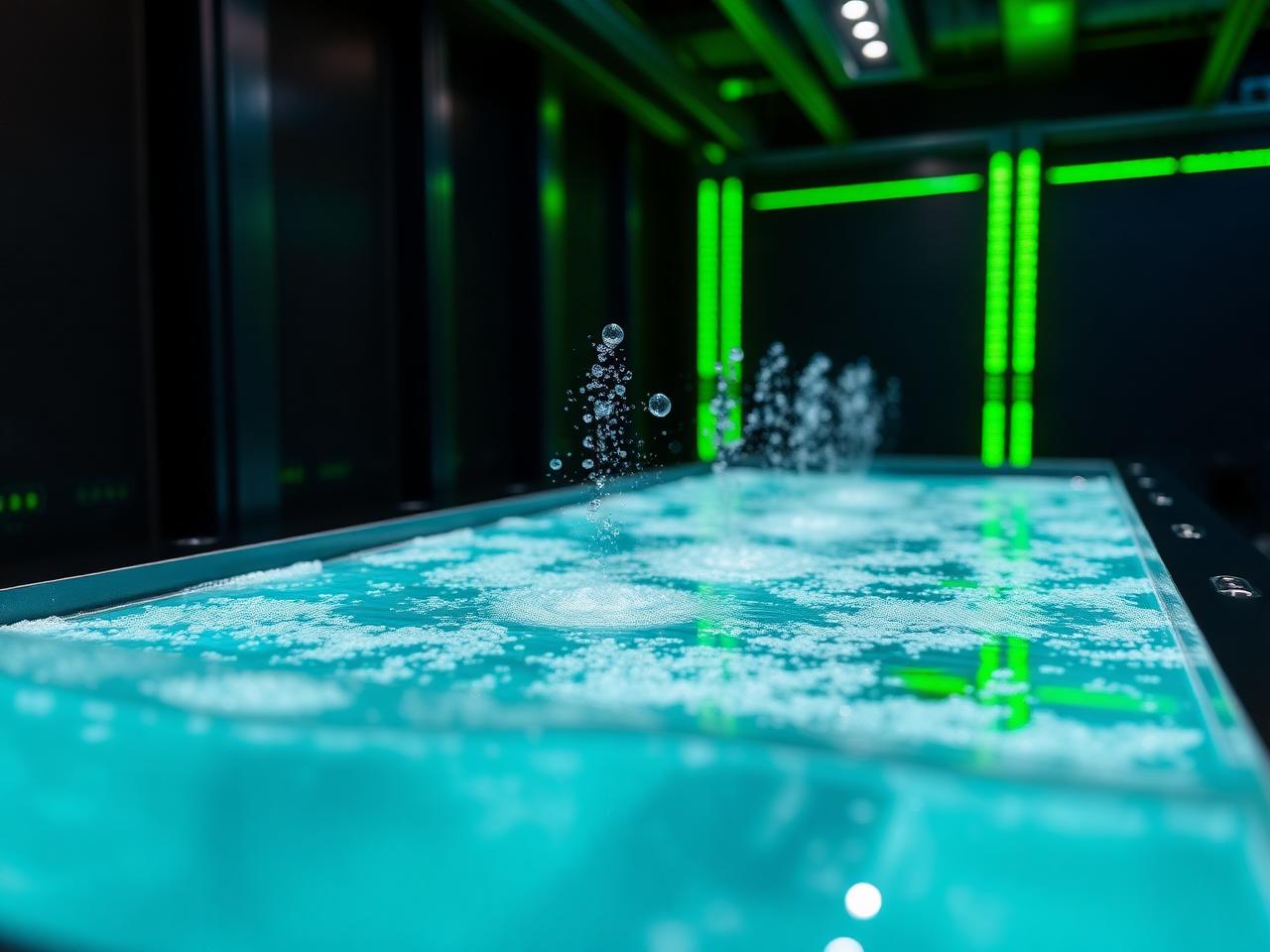
Immersion cooling places compatible hardware inside dielectric fluid, allowing heat to transfer directly away from the equipment.
It can be suitable for sustained, ultra-high-density workloads where moving enough air through a conventional rack becomes difficult or inefficient.
Immersion is not automatically the right answer for every cluster. Hardware compatibility, maintenance procedures, warranties, and operating practices all need to be assessed.
Our liquid cooling buyer's guide explains the practical questions worth asking before choosing a cooling route.
Establish who owns and maintains:
Coolant distribution units
Manifolds and pipework
Leak-detection systems
Fluids and replacement components
Pumps, filters, and heat exchangers
Emergency response procedures
A polished diagram is helpful. It is not a maintenance plan.
Connectivity Is Part of Compute Performance
AI infrastructure does not operate on GPUs alone.
Training nodes need to communicate with one another. Datasets must move into storage. Checkpoints need somewhere to go. Developers, applications, and users need reliable access to the platform.
A provider assessment should examine:
Carrier choice
Diverse fibre routes
Cross-connect availability
Installation lead times
Port speeds and upgrade options
Latency to cloud regions, exchanges, or users
Internet transit
Private connectivity
Monitoring and incident escalation
Weak internal or external networking can leave expensive accelerators waiting for data.
For inference workloads, choosing the wrong location may introduce avoidable latency. For distributed training, insufficient bandwidth between systems can become a performance bottleneck.
Site selection should therefore consider the full traffic pattern rather than simply choosing the closest well-known data-centre postcode.
Our guide to UK colocation locations and infrastructure considerations explains why power, cooling, and connectivity should be assessed together when comparing London and regional facilities.
What Should an AI Colocation Quote Include?
A quote based only on rack space tells you very little.
The useful comparison is the total cost of operating the deployment.
Contracted power: Is billing based on reserved capacity, measured use, or a combination of both?
Cooling: Are installation, capacity, and maintenance charges included?
Physical space: Does the price cover individual racks, a pod, a cage, or a private area?
Connectivity: Are cross-connects, carrier fees, transit, and cloud connections separate?
Installation: Does the proposal include racking, cabling, commissioning, and facility modifications?
Smart hands: How many hours are included, and what are the out-of-hours rates?
Migration: Have transport, parallel running, and downtime planning been considered?
Expansion: What will additional power, cooling, or space cost?
The lowest monthly figure can become the most expensive option if the next density increase requires a complete move.
Get the assumptions written down while everybody is still cheerful.
Check the SLA and Responsibility Split
AI colocation is a shared-responsibility model.
The operator normally manages the building, electrical infrastructure, cooling systems, physical access controls, and other facility services.
The customer generally remains responsible for the hardware, software, data, network configuration, and workload. The precise split should be documented clearly rather than assumed.
Before signing, ask:
What power availability is guaranteed?
Which temperature or cooling conditions form part of the SLA?
What response times apply to power, cooling, and connectivity incidents?
What is included in smart hands support?
How are maintenance windows communicated?
What service credits or remedies apply?
Is future power and cooling capacity reserved?
Can the deployment increase in density without moving?
Who manages hardware warranties where liquid cooling is involved?
What evidence supports security and compliance claims?
Physical security, power resilience, compliance evidence and customer visibility should be assessed together. Ask the provider to document which controls it manages, which responsibilities remain with your organisation, and how incidents are monitored and escalated.
Using a colocation provider does not automatically remove your organisation's data-protection obligations. The respective responsibilities depend on each party's actual role and processing activities, and these should be reflected clearly in the contract.
The UK Information Commissioner's Office provides further guidance on controller and processor responsibilities .
Plan the Deployment Before the Hardware Arrives
A sound AI colocation project normally follows a clear sequence.
Document the hardware and expected utilisation.
Calculate current and future power demand.
Confirm compatibility with the proposed cooling method.
Design the rack, storage, and network layout.
Order carrier services and cross-connects early.
Agree on installation, access, and smart hands responsibilities.
Test power failover, cooling and network resilience.
Run a controlled burn-in period before production.
This is where delays tend to hide.
Network circuits, specialist components, firmware requirements, and cooling connections have a habit of becoming visible one week after somebody has promised a go-live date.
A provider should review the hardware specification before signing the contract, identify potential mismatches, and explain how the environment will scale.
"We have racks available" is not an engineering assessment.
Choose a UK Location on Practical Grounds
London remains important where proximity to financial markets, dense carrier ecosystems, major internet exchanges, or specific cloud connections is essential.
It is not automatically the best answer for every AI workload.
Regional UK facilities may offer a different balance of electrical capacity, commercial terms, accessibility, and expansion room.
Compare locations using five questions:
Where are the users, datasets, and connected services?
How much latency genuinely matters?
Is the required electrical capacity available now?
Can the site cool the full deployment at sustained load?
Is there enough room to expand without changing facilities?
The right location supports the workload. A fashionable postcode cannot remove heat from a GPU.
Build for the Next Hardware Refresh
AI hardware changes quickly. Facility infrastructure and colocation contracts usually operate over much longer periods.
Do not provision solely around today's rack demand.
Ask whether:
Density can increase within the existing footprint
Direct-to-chip or immersion cooling can be added later
Adjacent electrical capacity can be reserved
Mixed-density systems can remain under one agreement
A hardware refresh would require a change of hall or site
At Carbon-Z, we structure deployments around the hardware profile rather than forcing every customer into a standard rack template.
That may mean air-cooled infrastructure for networking and storage alongside direct-to-chip or immersion environments for demanding GPU nodes.
The aim is simple. Give each part of the cluster the infrastructure it needs without making every component pay for the highest service tier.
A Practical AI Colocation Checklist
Before choosing a provider, confirm the following four areas.
Training, fine-tuning, inference or mixed use
Expected utilisation and growth
Storage and network throughput
Availability and latency requirements
Sustainable rack or pod density
Cooling compatibility
Power resilience
Floor loading and physical security
Installation and migration plan
Smart hands scope
Hardware maintenance ownership
Monitoring and incident escalation
Complete recurring and one-off costs
Upgrade pricing
Reserved expansion capacity
Contract exit and migration obligations
If several answers remain vague, the proposal is not ready.
AI infrastructure is expensive enough without paying tuition fees to learn what the contract did not say.
Ready to Scope Your AI Colocation Environment?
AI colocation works best when power, cooling, networking, and commercial terms are designed around the actual workload.
Not an average rack. Not a theoretical peak.
The hardware you intend to run, at the utilisation you expect, with a credible path for what comes next.
We can review your hardware specification, map the density and cooling requirements, and structure a UK deployment across air-cooled, direct-to-chip and immersion environments.
Explore Carbon-Z's HPC colocation for AI and GPU clusters and request a technical proposal built around your cluster rather than forcing it into yesterday's data centre.



%20--%3e%3csvg%20version='1.1'%20id='Layer_1'%20xmlns='http://www.w3.org/2000/svg'%20xmlns:xlink='http://www.w3.org/1999/xlink'%20x='0px'%20y='0px'%20viewBox='0%200%20388.2%20150.6'%20style='enable-background:new%200%200%20388.2%20150.6;'%20xml:space='preserve'%3e%3cstyle%20type='text/css'%3e%20.st0{fill:%2304C7FD;}%20.st1{fill:%230068B5;}%20%3c/style%3e%3crect%20y='2.1'%20class='st0'%20width='28.1'%20height='28.1'/%3e%3cpath%20class='st1'%20d='M27.4,148.5V47.3H0.8v101.2H27.4z%20M204.2,149.5v-24.8c-3.9,0-7.2-0.2-9.6-0.6c-2.8-0.4-4.9-1.4-6.3-2.8%20c-1.4-1.4-2.3-3.4-2.8-6c-0.4-2.5-0.6-5.8-0.6-9.8V70.1h19.3V47.3h-19.3V7.8h-26.7v97.9c0,8.3,0.7,15.3,2.1,20.9%20c1.4,5.5,3.8,10,7.1,13.4s7.7,5.8,13,7.3c5.4,1.5,12.2,2.2,20.3,2.2L204.2,149.5L204.2,149.5z%20M357,148.5V0h-26.7v148.5H357z%20M132.5,57.2c-7.4-8-17.8-12-31-12c-6.4,0-12.2,1.3-17.5,3.9c-5.2,2.6-9.7,6.2-13.2,10.8l-1.5,1.9v-1.7V47.3H43v101.2h26.5V94.6v3.7%20c0-0.6,0-1.2,0-1.8c0.3-9.5,2.6-16.5,7-21c4.7-4.8,10.4-7.2,16.9-7.2c7.7,0,13.6,2.4,17.5,7c3.8,4.6,5.8,11.1,5.8,19.4l0,0v0.2l0,0%20l0,0v53.5h26.9V91C143.7,76.6,139.9,65.2,132.5,57.2z%20M316.5,97.7c0-7.3-1.3-14.1-3.8-20.5c-2.6-6.3-6.2-11.9-10.7-16.7%20c-4.6-4.8-10.1-8.5-16.5-11.2s-13.5-4-21.2-4c-7.3,0-14.2,1.4-20.6,4.1c-6.4,2.8-12,6.5-16.7,11.2s-8.5,10.3-11.2,16.7%20c-2.8,6.4-4.1,13.3-4.1,20.6c0,7.3,1.3,14.2,3.9,20.6c2.6,6.4,6.3,12,10.9,16.7c4.6,4.7,10.3,8.5,16.9,11.2%20c6.6,2.8,13.9,4.2,21.7,4.2c22.6,0,36.6-10.3,45-19.9l-19.2-14.6c-4,4.8-13.6,11.3-25.6,11.3c-7.5,0-13.7-1.7-18.4-5.2%20c-4.7-3.4-7.9-8.2-9.6-14.1l-0.3-0.9h79.5L316.5,97.7L316.5,97.7z%20M237.2,88.4c0-7.4,8.5-20.3,26.8-20.4c18.3,0,26.9,12.9,26.9,20.3%20L237.2,88.4z'/%3e%3cpath%20class='st1'%20d='M387.4,135.3c-0.5-1.2-1.2-2.2-2.1-3.1c-0.9-0.9-1.9-1.6-3.1-2.1s-2.5-0.8-3.8-0.8c-1.4,0-2.6,0.3-3.8,0.8%20c-1.2,0.5-2.2,1.2-3.1,2.1c-0.9,0.9-1.6,1.9-2.1,3.1c-0.5,1.2-0.8,2.5-0.8,3.8c0,1.4,0.3,2.6,0.8,3.8s1.2,2.2,2.1,3.1%20c0.9,0.9,1.9,1.6,3.1,2.1s2.5,0.8,3.8,0.8c1.4,0,2.6-0.3,3.8-0.8c1.2-0.5,2.2-1.2,3.1-2.1c0.9-0.9,1.6-1.9,2.1-3.1%20c0.5-1.2,0.8-2.5,0.8-3.8S387.9,136.5,387.4,135.3z%20M385.8,142.3c-0.4,1-1,1.9-1.7,2.6c-0.7,0.7-1.6,1.3-2.6,1.7s-2,0.6-3.2,0.6%20c-1.1,0-2.2-0.2-3.2-0.6c-1-0.4-1.9-1-2.6-1.7s-1.3-1.6-1.7-2.6c-0.4-1-0.6-2-0.6-3.2c0-1.1,0.2-2.2,0.6-3.2s1-1.9,1.7-2.6%20c0.7-0.7,1.6-1.3,2.6-1.7s2-0.6,3.2-0.6c1.1,0,2.2,0.2,3.2,0.6c1,0.4,1.9,1,2.6,1.7s1.3,1.6,1.7,2.6c0.4,1,0.6,2,0.6,3.2%20C386.5,140.3,386.2,141.3,385.8,142.3z%20M380.2,139.9c0.8-0.1,1.4-0.4,1.9-0.9s0.8-1.2,0.8-2.2c0-1.1-0.3-1.9-1-2.5%20c-0.6-0.6-1.7-0.9-3-0.9h-4.4v11.3h2.1v-4.6h1.5l2.8,4.6h2.2L380.2,139.9z%20M379.1,138.3c-0.3,0-0.6,0-1,0h-1.5v-3.2h1.5%20c0.3,0,0.6,0,1,0c0.3,0,0.6,0.1,0.9,0.2c0.3,0.1,0.5,0.3,0.6,0.5s0.2,0.5,0.2,0.9s-0.1,0.7-0.2,0.9c-0.2,0.2-0.4,0.4-0.6,0.5%20C379.7,138.2,379.4,138.3,379.1,138.3z'/%3e%3c/svg%3e)